

Shopify SEO Made Simple: Organize Your Growth with an Excel Checklist


In the fast-moving world of eCommerce, having a Shopify store isn’t enough. You need it to be fast, SEO-optimized, mobile-friendly, and conversion-focused. The competition in 2025 is tougher than ever, and search visibility can make or break your online business.
That’s where a structured Excel checklist for Shopify optimization becomes your secret weapon.
Rather than juggling scattered ideas or random audits, using a centralized checklist helps you track everything — from SEO tweaks and content improvements to design consistency and conversion triggers.
Whether you’re a solo entrepreneur or running a growing brand, this guide will walk you through how to organize, prioritize, and implement the key optimization strategies using a simple Excel sheet — no third-party tool subscriptions needed.
Why Use an Excel Checklist to Optimize Your Shopify Store?
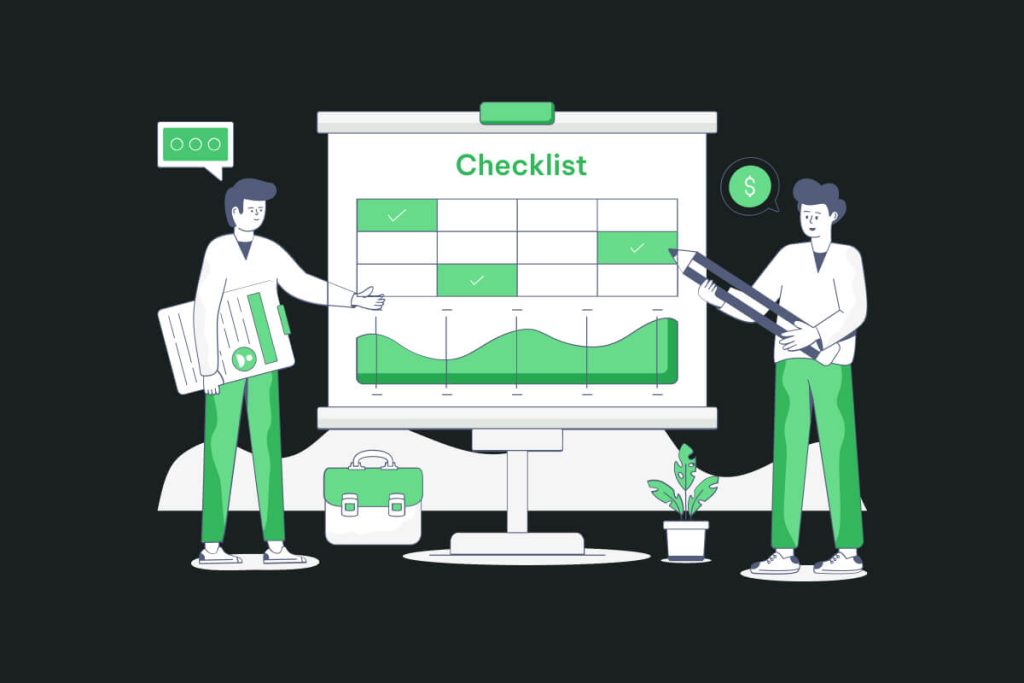
An Excel sheet may sound old-school, but it’s one of the most powerful tools for eCommerce site audits. It gives you visibility, flexibility, and control. You can segment actions by category (SEO, UX, speed, etc.), assign priorities, and track progress — all while having a reusable, shareable roadmap.
According to a recent Shopify report, stores that follow structured optimization routines see up to 35% higher conversion rates compared to those with no regular SEO checks in place.
An Excel-based Shopify optimization checklist acts like your store’s health monitor — alerting you to gaps and guiding you toward growth.
🔍 The Foundation: Preparing Your Optimization Checklist
Before diving into the optimization strategies, it’s important to structure your Excel file with the right columns. At minimum, your checklist should include:
- Page/Element Name
- Optimization Area (e.g., SEO, UX, Performance)
- Task Description
- Status (To Do, In Progress, Done)
- Priority (High, Medium, Low)
- Owner (if you’re working in a team)
- Notes or Comments
This structure gives your optimization effort direction, making it easier to collaborate, update, and refine over time.
On-Page SEO Optimization for Shopify
Search Engine Optimization (SEO) is arguably the most important long-term growth lever for Shopify stores. Your checklist should include the following areas for every product page, collection page, and content page:
Start with your page titles — make sure each one includes a relevant keyword and accurately describes the page’s content. Avoid duplication. Next, review your meta descriptions. They should be unique, under 160 characters, and encourage click-through with clear CTAs.
Also, don’t ignore alt text for images. Google still relies heavily on alt attributes for understanding visual content. Your checklist should have a column where every image file is accounted for and optimized.
Finally, ensure that URL slugs are clean and keyword-rich, with no unnecessary parameters or symbols. A URL like /collections/mens-shoes is much better than /page?id=12345.
Page Speed and Performance Enhancements

Speed is more than a user experience issue — it’s an SEO ranking factor. Studies show that 1 in 4 users will abandon a website that takes more than 4 seconds to load. Shopify offers great built-in performance tools, but your checklist should help you spot bottlenecks.
Monitor image file sizes across the site. Consider adding columns to note which images need compression or switching from JPEG to WebP for better performance.
Also, list out apps that may be adding excessive scripts or slowing load times. Sometimes, uninstalling unused apps can reduce load time by several seconds.
Use tools like Google PageSpeed Insights or GTmetrix, and plug the scores into your Excel sheet. This gives you a baseline for tracking improvements after each optimization round.
Mobile Optimization Is Non-Negotiable
With over 70% of Shopify traffic now coming from mobile devices, your checklist must include mobile responsiveness and UX checkpoints. Pages should load fast, buttons must be easily tappable, and CTAs should be visible without scrolling.
In your Excel checklist, track pages with poor mobile layouts or overlapping elements. Add notes for pages where font sizes are inconsistent or forms are hard to use.
Test your Shopify store across multiple devices and screen sizes. Use Shopify’s built-in mobile preview or third-party emulators — and note any issues in your checklist.
Navigation, UX, and Conversion Enhancements
Improving UX and navigation should always be part of your Shopify optimization strategy. Include sections in your Excel checklist for:
- Checking that your menu structure is intuitive and minimal
- Ensuring breadcrumbs are present for SEO and navigation
- Verifying that search functionality works well
- Ensuring CTA buttons are visible and high contrast
- Confirming trust elements (reviews, security badges) are present
Conversion rate optimization (CRO) doesn’t happen by accident — it’s the result of iterative testing and data-driven tweaks. Mark down your A/B tests, banner changes, and CTA positions in your Excel file, so you can analyze results over time.
Product Page Content and Schema Markup
Each product page should be rich with unique content, answering all the questions a customer might have. Your checklist should flag product pages with:
- Thin or duplicate descriptions
- Missing or outdated information
- No reviews or testimonials
- No structured data/schema
Adding structured data to your Shopify store helps Google understand your content better. Rich snippets (like star ratings, price, availability) can dramatically improve click-through rates. Track which products have schema implemented — and which don’t — right in your sheet.
Marketing & Analytics Setup

Your Shopify optimization checklist should extend beyond the store itself. Include rows for:
- Google Analytics 4 integration
- Meta Pixel & conversion events
- Email capture forms
- Newsletter automation triggers
- Social media integrations
- UTM tracking setup for campaigns
Each of these marketing tools plays a role in measuring performance, understanding traffic, and scaling intelligently.
Real Results: Why It Works
Based on internal data from Shopify experts, stores that followed a structured SEO checklist for just 60 days reported:
- +23% improvement in organic traffic
- +17% reduction in bounce rate
- +12% increase in average order value (AOV)
These aren’t just metrics — they’re revenue-impacting improvements.
Final Thoughts: Turn Your Excel Sheet into a Growth Engine
In 2025, Shopify success comes down to execution. Tools change. Trends shift. But having a repeatable, trackable, and strategic process is what helps brands stay ahead.
A well-designed Excel checklist is more than a spreadsheet — it’s your store’s optimization blueprint. Use it weekly. Update it monthly. Treat it like your digital operations manual.
Your Shopify store deserves more than just “set it and forget it.” It deserves constant improvement — and this is your way to achieve it. Let’s connect with us to more explore about tech information .
Sumit Dubey
Sumit Dubey is a Digital Marketing Strategist with a passion for driving online success. He designs marketing campaigns that increase visibility, optimize performance, and foster long-term client growth through data-driven strategies and targeted digital solutions.